

 Baseball Scout
 Learn more...
SportsBoard Football Scout
In collegiate and professional football, winning is everything. And it all starts with effective scouting and player assessment.
Coming soon to the App Store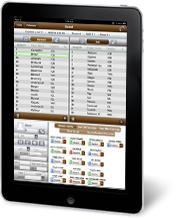
Features of Football Scout
iPad Coaching and Scouting Software
Football Scout enables coaches to:
- Rate players using pre-defined football-specific metrics using a 1-5 or +/neutral/- rating system
- Track players from prior research and easily identify them in the App via highlighted color Support for entry of position groups, not just teams, which would be appropriate for coaches who want to use Football Scout for a specific targeted list of players that should be grouped by position
- Add newly-discovered players to tracked players list
- Sort rosters by jersey, name, position, or starter
- Customize fields for additional data
- Entry of contact information for Player, Player's parent, Player's coach, Player's assistant coach, and Player's trainer, with ability for coach to email any contacts from within Football Scout
- Type notes and record voicememos about teams and individual players
- Combine photos and footage with data about players using the iPad2 camera
- Sync scouting data to a secure server via a 3G or WiFi connection
- Aggregate and organize the data on the server
- Review and analyze data
- Make better, data-driven decisions about opponents and individual players
- Access to User Guide from within Football Scout
- Ability to email West Shore Technologies with questions or feedback from within Football Scout
Benefits of Football Scout
iPad Coaching and Scouting Software
Football Scout helps coaches:
- Digitize their data collection process
- Save time in viewing and analyzing data
- Save money by automating tedious data entry work
- Improve accuracy of data by eliminating keystroke errors and illegible notes
- Reduce travel expenses by prioritizing visits only to top prospects
- View player media and data together, synthesizing faces with names
Screenshots
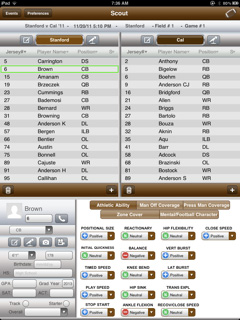
Requirements: Compatible with iPad.
Requires iOS 4.2 or later.